Principal and Administrator can easily one or more new students.
Step 1: Go the Admin tab and click on Add Students

Step 2: Key in Business code, Student Name, choose the Gender, Select Citizenship, Program Type, the Class and Choose the Start Date (The day student is starting school)
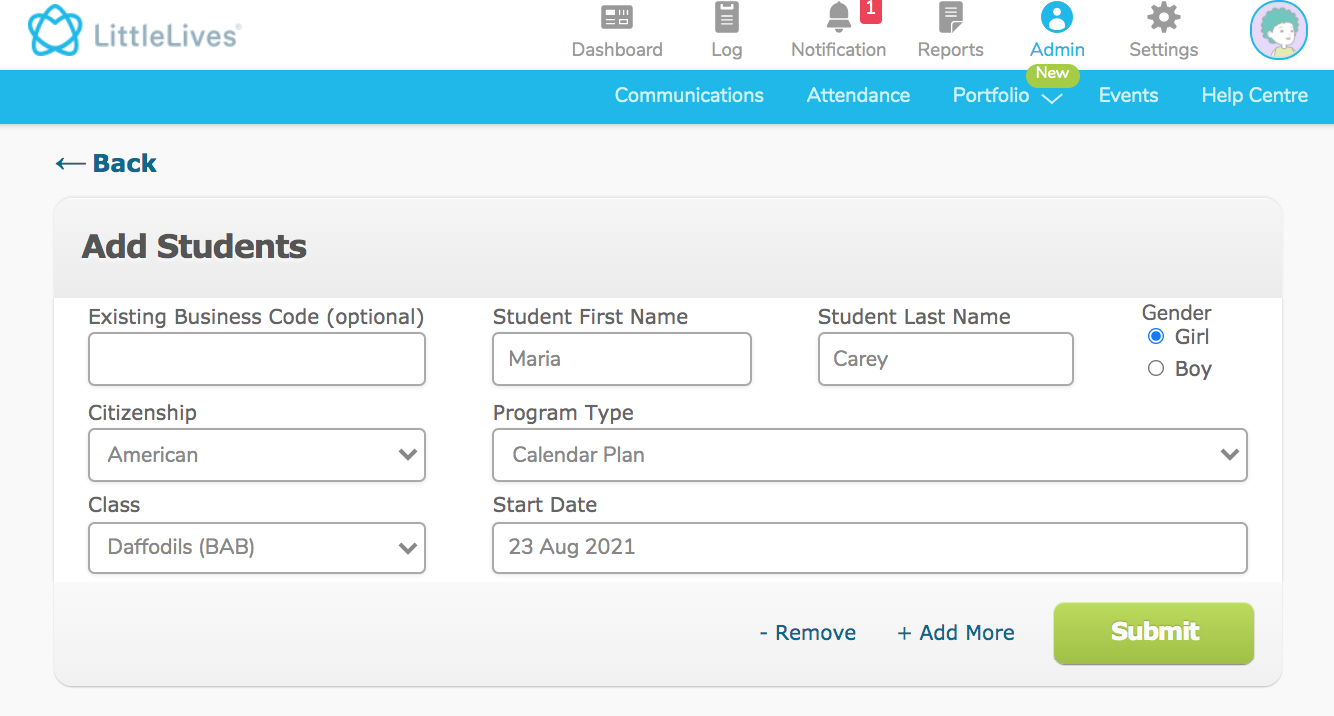
Step 3: Remember to click Submit to complete the action of adding students.
Step 1: Go the Admin tab and click on Add Students
Step 2: Key in Business code, Student Name, choose the Gender, Select Citizenship, Program Type, the Class and Choose the Start Date (The day student is starting school)
Step 3: Remember to click Submit to complete the action of adding students.
Note:
1. Only Add student and key in Business Code if they have existing business code already.
2. If student is new without business code, please skip the business code.