Note: Portfolio media is only available for download for up to 2 years. Any media older than 2 years will no longer be accessible for download.

Tip: We recommend that users and parents generate and download the Portfolio and Evaluation annually to ensure important records are kept.
Step 1: Login to www.littlelives.com
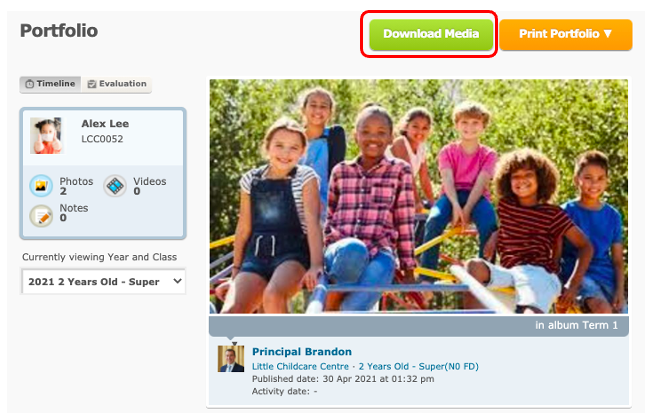
Step 2: To view the portfolio moments of your child, click on Portfolio
Step 3: You can keep a record of all these lovely moments by clicking on Download Media
Step 4: Simply select the month(s) and click on Download
If there is a lot of photos tagged to your child, we'd recommend for you to download a few months at a time!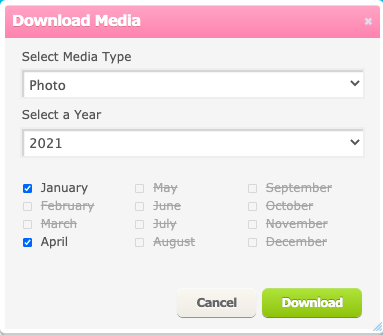
Step 5: Click on your download folder to get the open the files in your computer